• Archivo
    • Importar archivo(Ctrl+O)
    • Limpiar todo(Ctrl+E)
    • Guardar en Mis diseños(Ctrl+S)
    • Guardar como archivo(Ctrl+Shift+S)
  • Diseños

      Mis diseños

      • Todas las categorías
      • Category #1
      • New Category
    • Imprimir

        Imprimir diseño

    • Compartir

        Compartir su diseño Back to share

      • Create the link to share your current design for everyone

        Your link has been created successfully

        Compartir en:

    • Ayuda
      • Quick help

      • ctrl+a Select all objects
        ctrl+d Double the activate object
        ctrl+e Clear all objects
        ctrl+s Save current stage to my design
        ctrl+o Open a file to import design
        ctrl+p Print
        ctrl++ Zoom out
        ctrl+- Zoom in
        ctrl+0 Reset zoom
        ctrl+z Undo changes
        ctrl+shift+z Redo changes
        ctrl+shift+s Download current design
        delete Delete the activate object
        ← Move the activate object to left
        ↑ Move the activate object to top
        → Move the activate object to right
        ↓ Move the activate object to bottom
        shift+← Move the activate object to left 10px
        shift+↑ Move the activate object to top 10px
        shift+→ Move the activate object to right 10px
        shift+↓ Move the activate object to bottom 10px
      • Custom help content
      • Powered by Lumise version 2.0.1

    • Shop
    • Deshacer
    • Rehacer
    • Diseño
    • Producto
    • Texto
    • Plantillas
    • Vectores
    • Imágenes
    • Figuras
    • Capas
      Más

    Clic o arrastre para añadir texto

    Clic o suelte imágenes aquí

        Informe de errores

        Please let us know if you find any bugs on this design tool or just your opinion to improve the tool.

        Tips: If you want to send content with screenshots or videos, you can upload them to imgur.com or any drive services and put links here.

        • Start designing by adding objects from the left side
        • All selected objects are grouped | Ungroup?
        • Group objects Group the position of selected objects
          • Fill options

            Guardar este color

          • Create QRCode
          • Opciones
            • Alinea automáticamente el objeto activo<br>con los demás objetos
            • ON: mantener objetos y añadir la plantilla<br> OFF: limpiar antes de instalar la plantilla
            • Reemplaza la imagen seleccionada en lugar de crear una nueva
          • Reemplazar imagen
          • Crop
          • Mask
            • Select mask layer

          • Remove background
            • Remove background

            • Deep:

            • Mode:

          • Filters
            • Filters

              • Original
              • B&W
              • Satya
              • Doris
              • Sanna
              • Vintage
              • Gordon
              • Carl
              • Shaan
              • Tonny
              • Peter
              • Greg
              • Josh
              • Karen
              • Melissa
              • Salomon
              • Sophia
              • Adrian
              • Roxy
              • Singe
              • Borg
              • Ventura
              • Andy
              • Vivid
              • Purple
              • Thresh
              • Aqua
              • Edge wood
              • Aladin
              • Amber
              • Anne
              • Doug
              • Earl
              • Kevin
              • Polak
              • Stan

            • Brightness:

            • Saturation:

            • Contrast:

          • Clear Filters
          • Click then drag the mouse to start drawing. Ctrl+Z = undo, Ctrl+Shift+Z = redo
          • QRCode text
          • Fill options
            • Fill options

              Guardar este color

              • Transparent:

              • Stroke width:

              • Stroke color:

            • Ungroup position
            • Arrange layers
            • Position
              • Object position

                Lock object position:

              • Center vertical
              • Top left
              • Top center
              • Top right
              • Center Horizontal
              • Middle left
              • Middle center
              • Middle right
              • Press &leftarrow; &uparrow; &rightarrow; &downarrow; to move 1 px, <br>Hit simultaneously SHIFT key to move 10px
              • Bottom left
              • Bottom center
              • Bottom right
            • Transforms
              • Rotate:

              • Skew X:

              • Skew Y:

              • Flip X:
                Flip Y:

                Free transform by press SHIFT+⤡

            • Font family
            • Edit text
              • Edit text

              • Font size:

              • Letter spacing

              • Line height

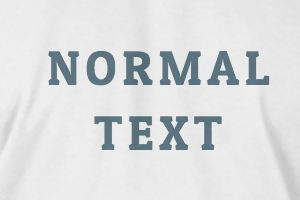
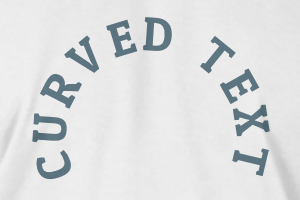
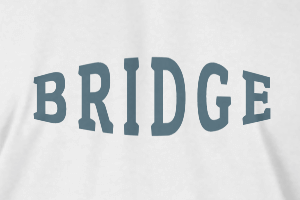
            • Efectos de texto
              • Efectos de texto

              • Radius

              • Spacing

              • Curve

              • Height

              • Offset

              • Trident

            • Alineación
            • Uppercase / Lowercase
            • Font weight bold
            • Cursiva
            • Subrayado
            Desplazar para zoom